
Chrome extension for Claude
Usage Pilot
Your Claude limits, always in view.
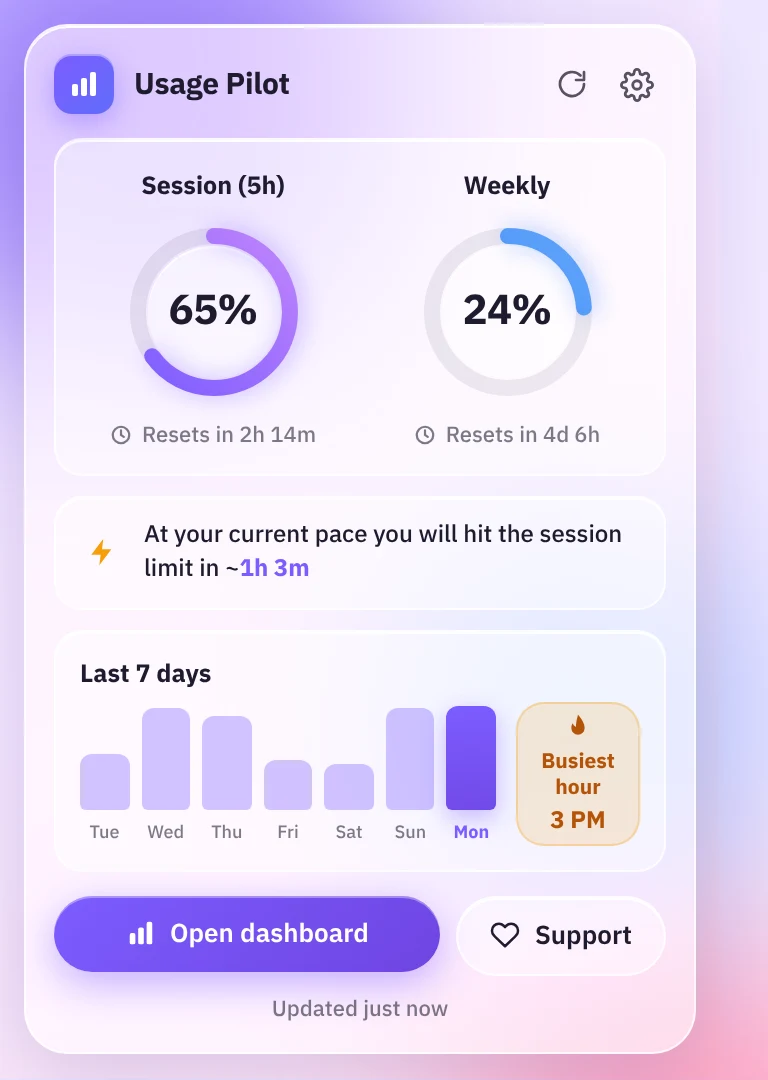
Usage Pilot shows how much of your Claude session and weekly limits you have used, when they reset, and when you will run out at your current pace.
In review on the Chrome Web Store, beta available
What it does
Both limits at a glance
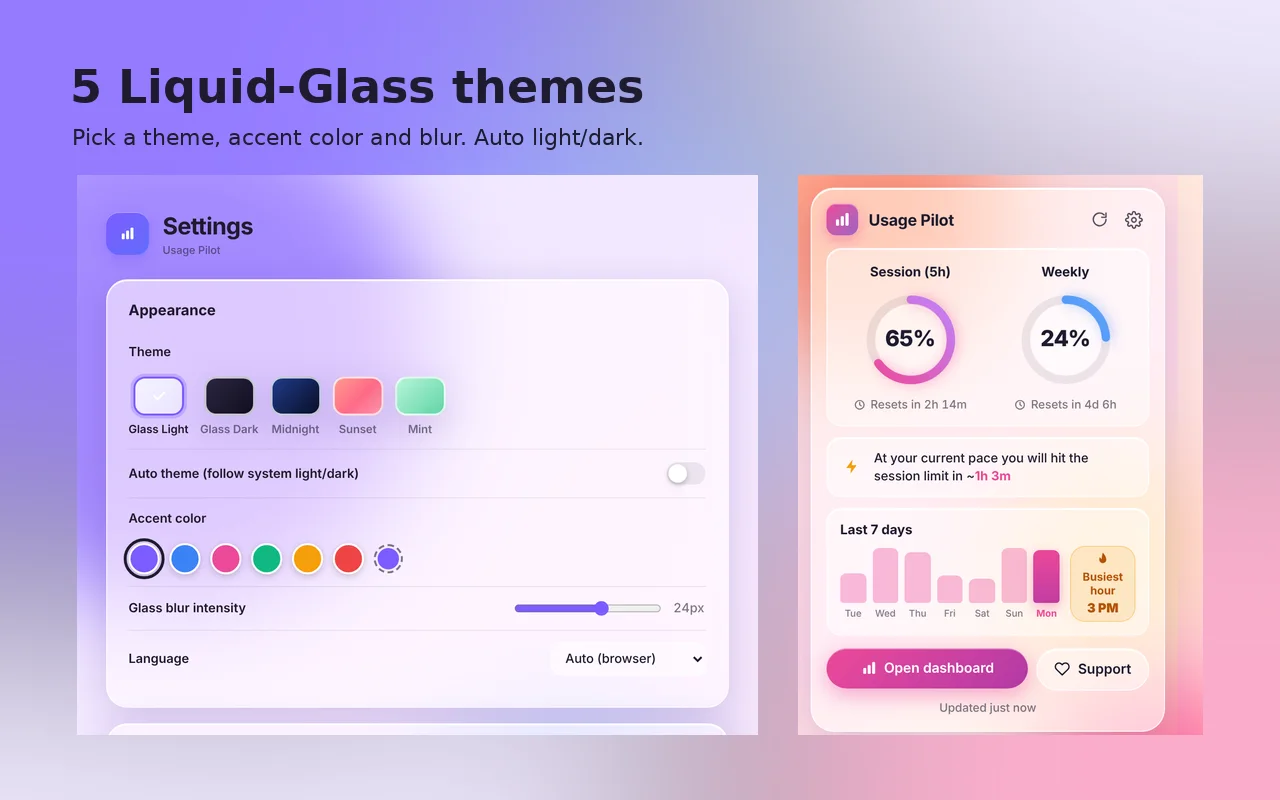
Session (5 hours) and weekly usage as rings in the toolbar popup, with the percentage on the icon itself.
A forecast, not just a number
Tells you roughly when you will hit the session limit at the pace you are going.
Right where you chat
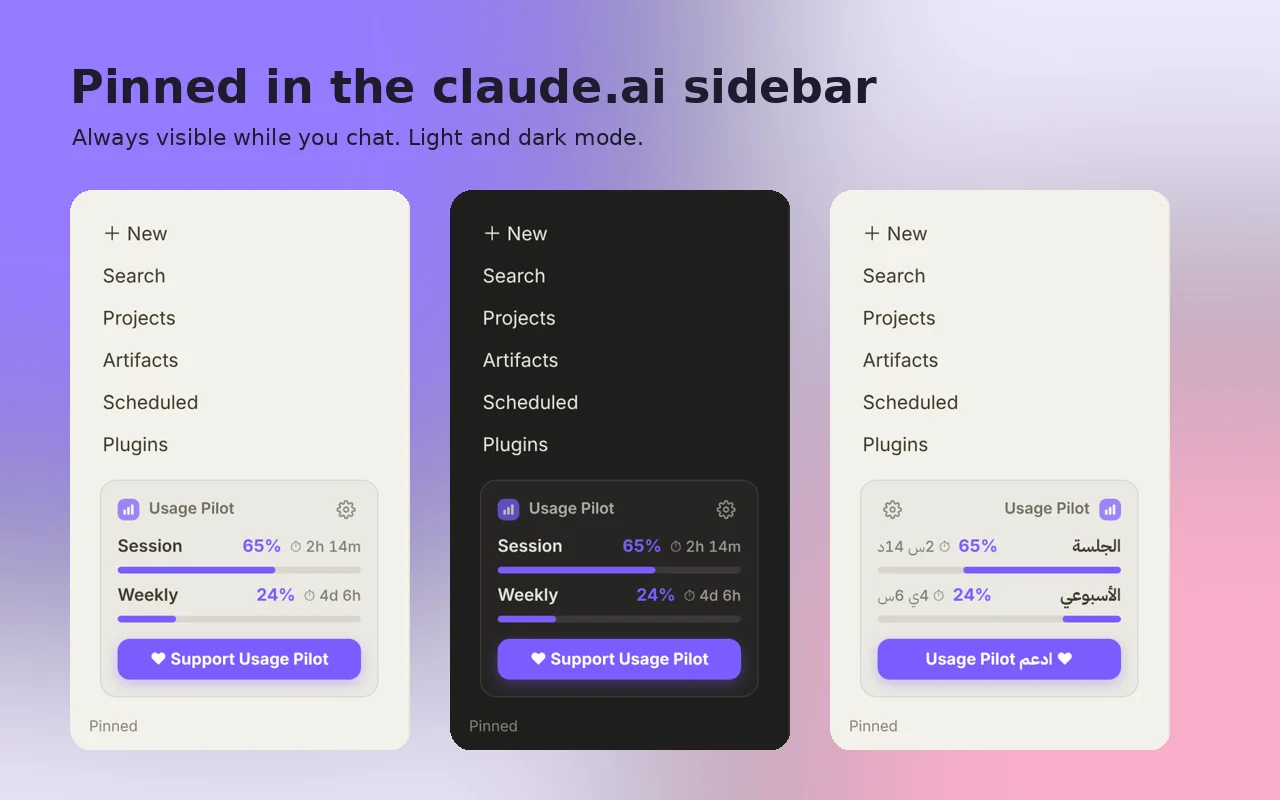
A small usage block sits in the claude.ai sidebar, under the main menu, and follows light and dark mode.
Alerts you choose
Get notified at the thresholds you pick and when your limit refills.
Your history
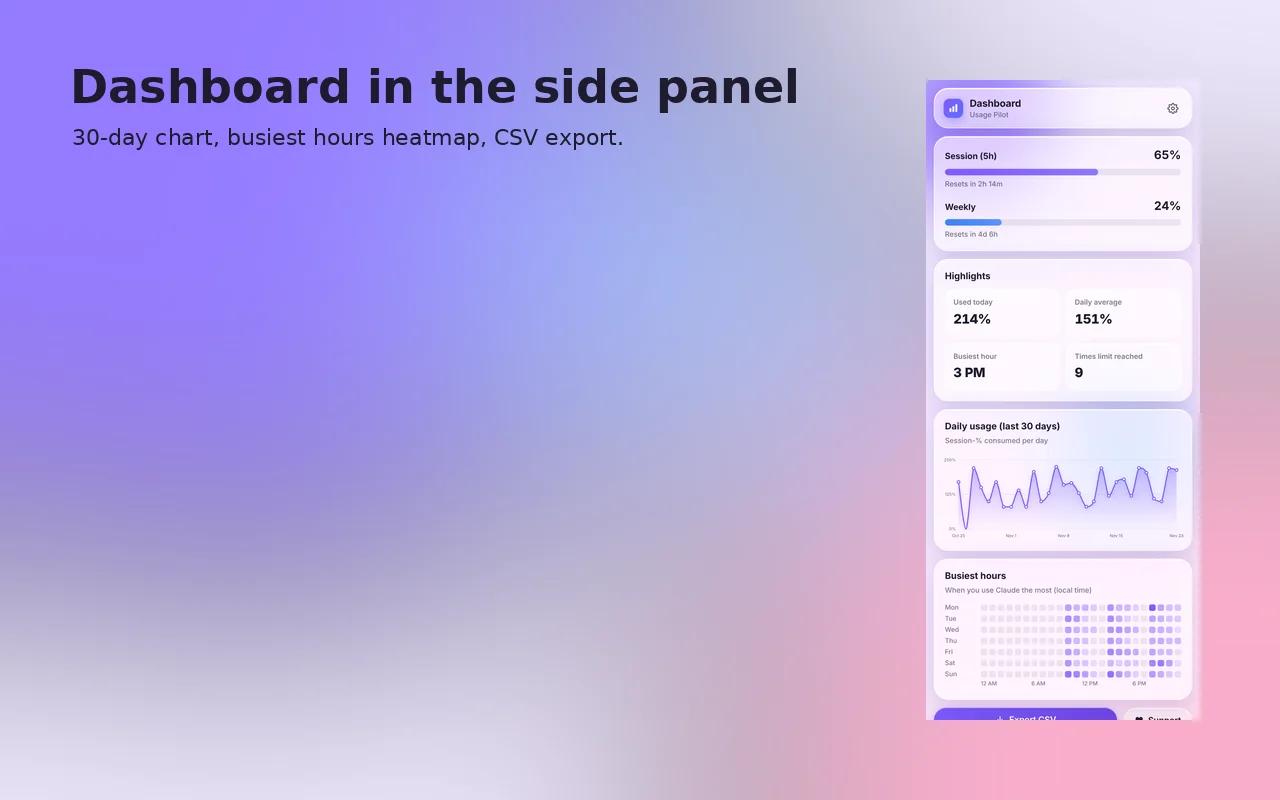
30-day chart, busiest-hours heatmap and CSV export in the side panel.
Renewal reminder
Add your plan and renewal date once and get a reminder before it renews.
See it
Install the beta
The Chrome Web Store listing is in review. Until it is approved, install the beta by hand:
- Download the zip and extract it to a folder you will keep.
- Open chrome://extensions and turn on Developer mode (top right).
- Click Load unpacked and choose the extracted folder that contains manifest.json.
- Open claude.ai and refresh the page. Usage Pilot appears in the sidebar.
Languages
- English
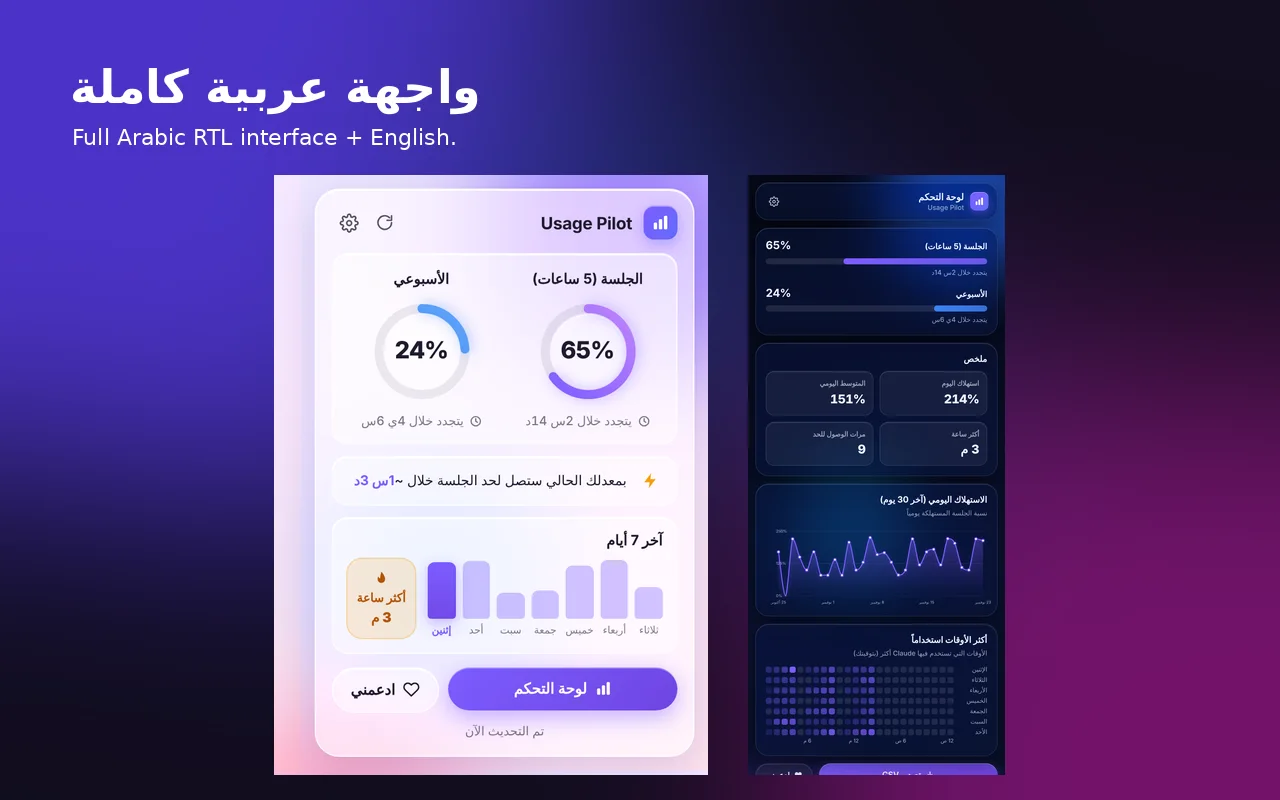
- العربية
- Français
- Deutsch
- Español
- Português (Brasil)
- Italiano
- Bahasa Indonesia
- हिन्दी
- 日本語
- 한국어
- Türkçe
- 简体中文
Privacy
Everything stays in your browser. Usage Pilot reads your usage numbers from claude.ai with your own session and sends nothing anywhere else. No account, no analytics, no ads.
Questions
Is it free?
Yes. Usage Pilot is free and has no ads. If it helps you, you can support its development.
Does it read my conversations?
No. It only reads your usage percentages and reset times, the same numbers shown on the claude.ai usage settings page.
Is it made by Anthropic?
No. Usage Pilot is an independent tool by NimKits and is not affiliated with or endorsed by Anthropic.
Why is it not on the Chrome Web Store yet?
The listing is in review. Until it is approved you can install the beta from the zip below; you will move to the store version once it is live.